There is a piece of advice that has been floating around the public speaking world for decades. It is usually whispered to nervous beginners right before they take the stage.
“If you are nervous, just look at their foreheads. Or look at the back wall just above their heads.”
This is terrible advice. It is one of the most damaging eye contact myths in the industry.
To you, looking at a forehead feels safe. It reduces the input data your brain has to process (no judging eyes staring back).
But to the audience? You look like a zombie.
When you look slightly above someone’s eyes, you enter the “Uncanny Valley.” The audience knows you aren’t looking at them, but they can’t figure out what you are looking at. It disconnects the signal. It makes you look checked out, robotic, or arrogant.
Connection is a data transfer. If the cable isn’t plugged in (eye-to-eye), the data doesn’t transfer.
It is time to debug your delivery. Here is how to stop scanning the room like a security camera and start connecting like a leader.
The Problem: The “Lawn Sprinkler” Effect
Another common glitch is the “Lawn Sprinkler.”
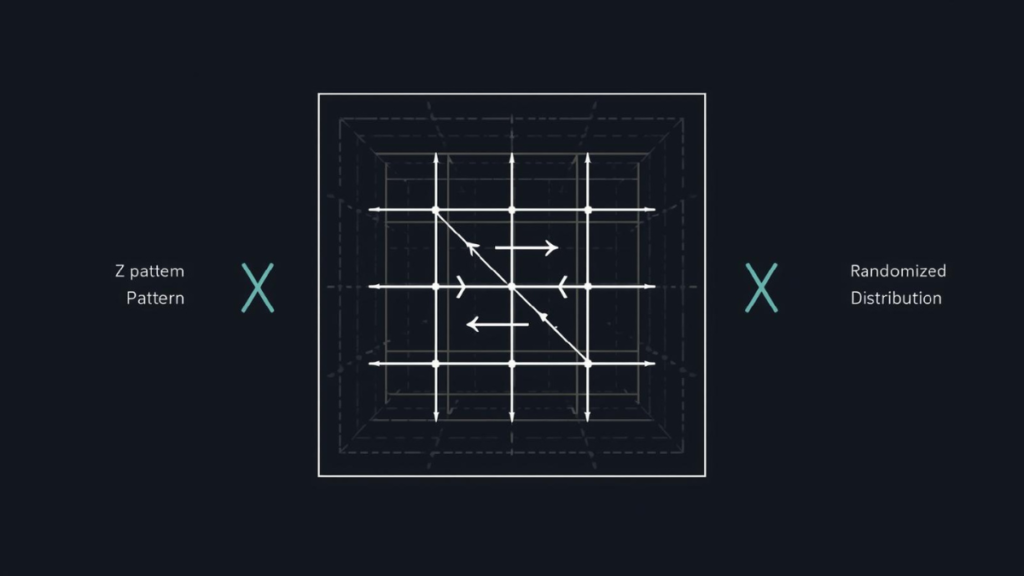
This is when a speaker is told to “look at everyone,” so they constantly pan their head from left to right, then right to left, over and over again.
They never stop. They never lock on. They are just spraying words across the room hoping someone gets wet.
This makes you look shifty and nervous. It signals to the audience that you are terrified of landing. You are moving too fast for a connection to be established.
You need an algorithm. You need The Quadrant Scan.
The Solution: The Quadrant Scan Algorithm
The human brain gets overwhelmed if you try to look at 50 people at once. So, don’t. Break the room down into manageable data chunks.
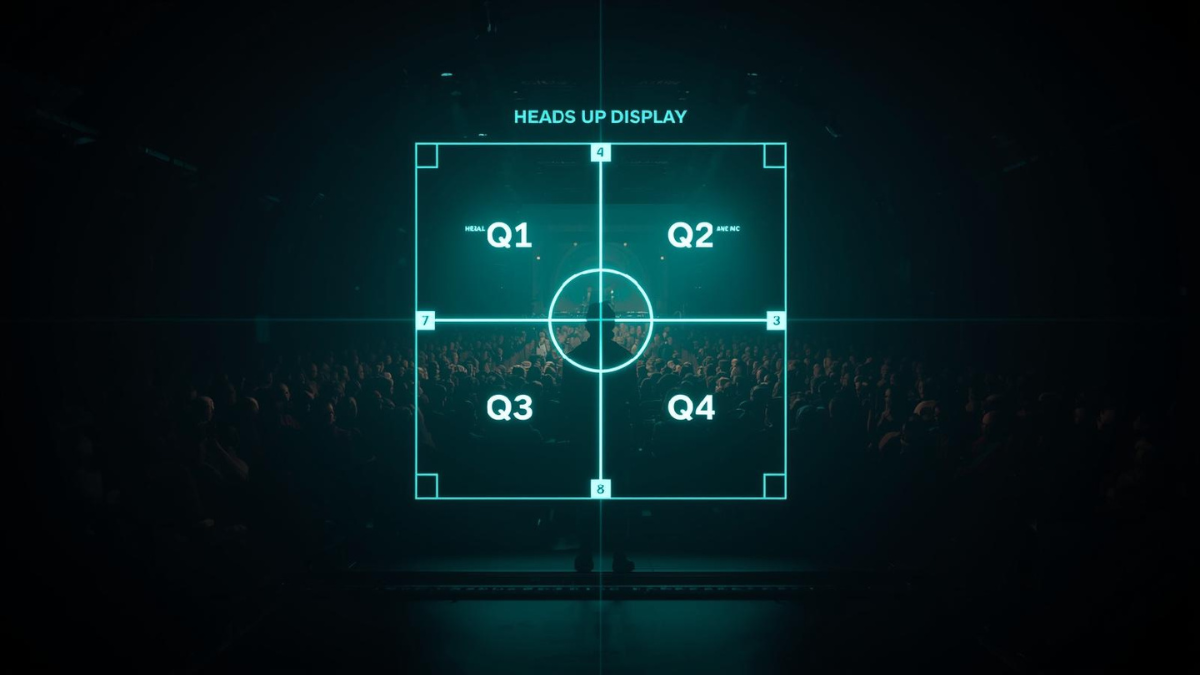
Imagine a large neon crosshair over the audience, dividing the room into four zones:
- Back Left
- Back Right
- Front Left
- Front Right
Your goal is not to look at “everyone.” Your goal is to deliver one complete thought to one zone, then switch.
The Protocol:
- Lock On: Pick one person in Quadrant 1.
- Deliver: Speak one full sentence (or thought) directly to them.
- Transition: Move your eyes to a person in Quadrant 3 (Cross-pattern).
- Deliver: Speak the next sentence to them.
By moving randomly between these four boxes, you create the illusion that you are speaking to the entire room. The people in the “Back Left” feel included, and the people in the “Front Right” feel seen.
The “3-Second Lock” Rule
The Quadrant Scan only works if you actually stop moving.
Science tells us that a meaningful connection takes about 3 to 5 seconds to establish. This is often called “The Lighthouse Method” by communication experts.
If you dart your eyes away in under a second, you trigger the “fight or flight” signal. You look like you are searching for an exit.
The Rule: One Thought = One Person.
Don’t shift your eyes mid-sentence.
- “I believe that technology…” (Look at Person A)
- “…is the future of our club.” (Still looking at Person A).
- [Pause] (Shift eyes to Person B).
- “And here is why.” (Look at Person B).
This feels intense at first. But to the audience, it looks like confidence.
For more on the psychology of why we avoid eye contact, check out this breakdown on social anxiety and eye contact. It explains why your brain tries to force you to look away.
💡 Pro Tip: Don’t Stare at the Light
There is one object in the room that draws more eye contact than any human: The Timing Device.
When the Green Light turns on, speakers tend to lock onto it like a moth to a flame. They stop looking at the audience and start staring at the color, waiting for it to change.
This breaks the spell. The moment you look at the timer, the audience looks at the timer. Now everyone is thinking about time, not your message.
Glance, don’t stare.
Need to practice checking the time without losing your flow? Launch the Free Speech Timer to practice your peripheral vision →
Virtual Eye Contact: The “Black Hole”
If you are presenting online (Zoom or Teams), the Quadrant Scan doesn’t apply.
The biggest myth in online speaking is looking at the faces on the screen. If you look at the faces, you appear to be looking down at the participants.
In a virtual setting, the Camera Lens is the audience.
It feels unnatural. You are staring into a black void. But to the viewer on the other side, you are making perfect, direct eye contact.
- Offline: Look at the eyes.
- Online: Look at the lens.
System Reset
Don’t let the eye contact myths of the past ruin your modern presentation.
Your eyes are the bandwidth for your message. If you aim them at the forehead or the back wall, you are throttling your own connection speed.
Use the Quadrant Scan. Lock on for one sentence. Move with intention.
Ready to practice your “Lock and Move”?
You can’t practice eye contact while reading a script. You need to look up.
Download our prompt list, put your phone across the room, and practice delivering answers to the “lens” without breaking contact.
Download the Impromptu Question List
Disclaimer: This guide is a personal resource created by Jel Salamanca. It is not an official publication of, nor is it affiliated with or endorsed by, Toastmasters International.